EYP EXAMINATION PORTAL

Smart Examination & Result Management System

Manage classes, students, subjects, examinations, marks and professional result cards from one secure school portal. The system supports individual tests as well as cumulative academic progress across up to eight tests.

  • Fast subject-wise marks entry for the complete class
  • Flexible 1–8 test examination structure
  • Automatic totals, percentages, grades, remarks and positions
  • Professional portrait and landscape PDF result cards
1–8 Test System Secure School Account PDF Result Cards
Subject-Wise Marks Entry
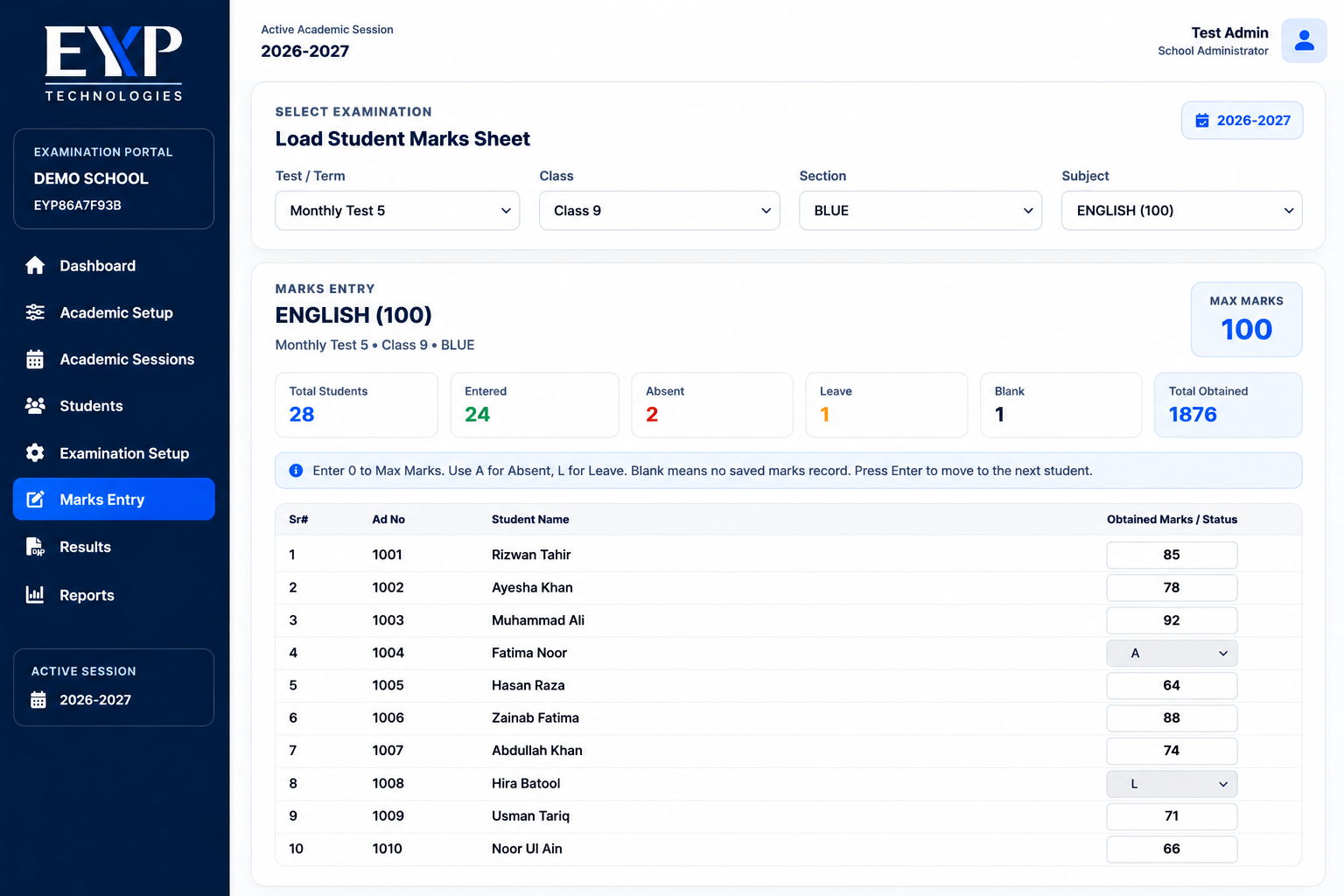
Portal Preview
EYP Examination Portal marks entry preview
Fast Marks Entry One subject, one quick class grid
Result Cards Professional PDF generation
Progress Analysis Combine up to eight tests
HOW IT WORKS

From Marks Entry to Complete Results in Four Simple Steps

The portal is designed for practical school use. Teachers work subject-wise, while the system handles validation, calculations and final result generation.

01

Select Class, Test & Subject

The relevant students are loaded automatically for marks entry.

02

Enter Marks

Enter obtained marks for the complete class in one subject-wise grid.

03

Validate & Save

Maximum-mark checks and validation prevent incorrect entries before saving.

04

Generate Results

Create totals, percentage, grades, remarks and professional PDF result cards.

EYP Examination Management subject-wise marks entry
FAST SUBJECT-WISE ENTRY

One Subject. One Screen. Fast Marks Entry.

Instead of entering every student's full result separately, the teacher selects a subject and enters marks for the entire class on one screen.

Select academic session, class, section, test and subject
Students appear automatically in one marks grid
Enter obtained marks only
Maximum marks are already defined for each subject
Absent and leave status can be recorded
Optional subjects can be handled student-wise
Above-maximum and invalid entries are blocked
Saved marks become available immediately for result generation
FLEXIBLE 1–8 TEST SYSTEM

Manage One to Eight Tests in the Same Academic Session

Generate an individual result for one test or combine selected examinations into one cumulative academic progress card.

01 Test 1 Subject-wise marks
02 Test 2 Subject-wise marks
03 Test 3 Subject-wise marks
04 Test 4 Subject-wise marks
05 Test 5 Subject-wise marks
06 Test 6 Subject-wise marks
07 Test 7 Subject-wise marks
08 Test 8 Subject-wise marks
Flexible Result Card Layout: result cards adjust according to the number of selected tests. Wider landscape layouts can be used when more examination columns are required.

Student Progress Card

Combined performance across selected examinations.

Cumulative Sheet

Class-wide comparative academic record.

Subject Analysis

Review student performance subject by subject.

Merit & Positions

Automatic totals and ranking where applicable.

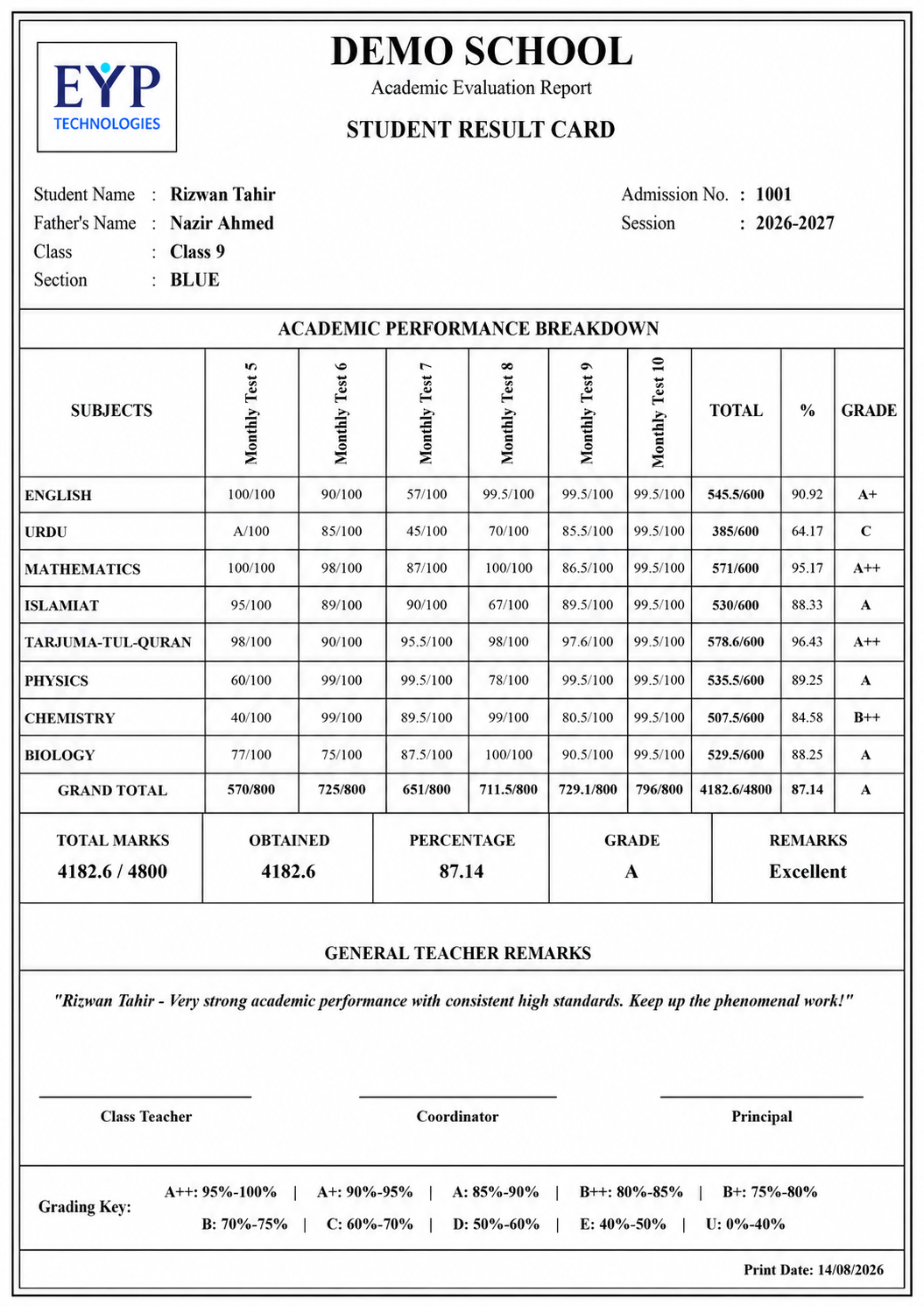
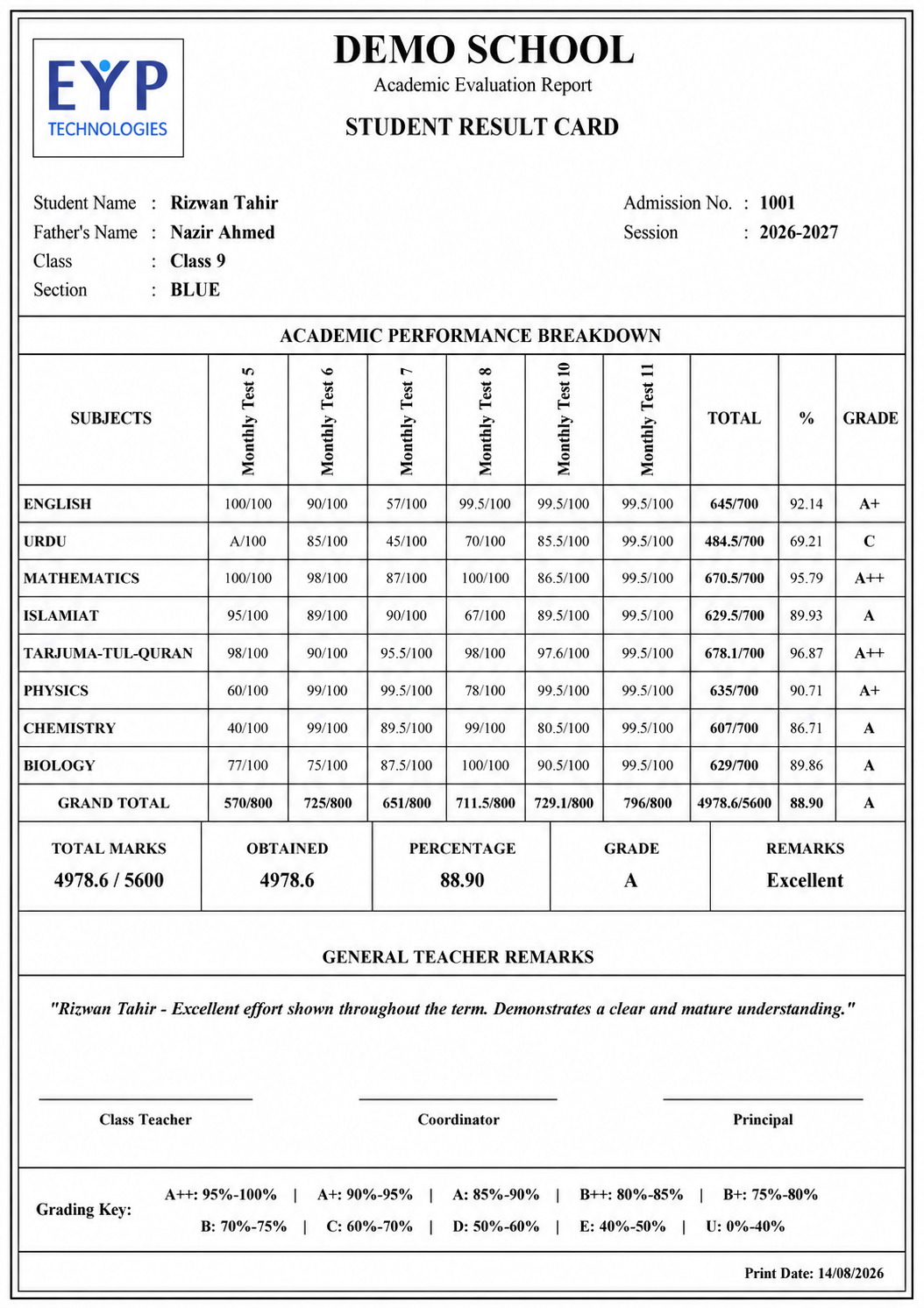
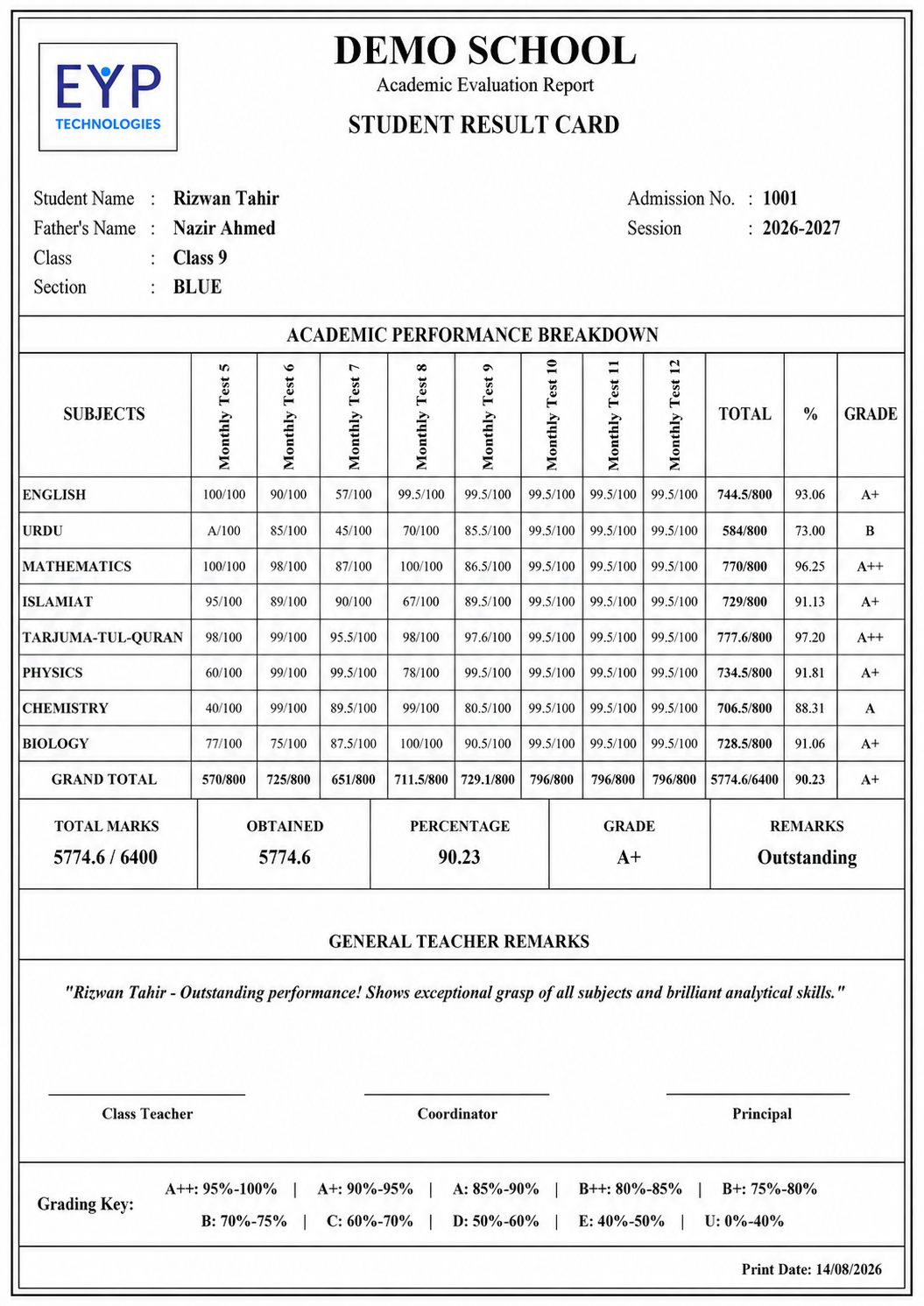
1–8 TEST RESULT CARD PREVIEWS

Preview the Result Card from One Test to Eight Tests

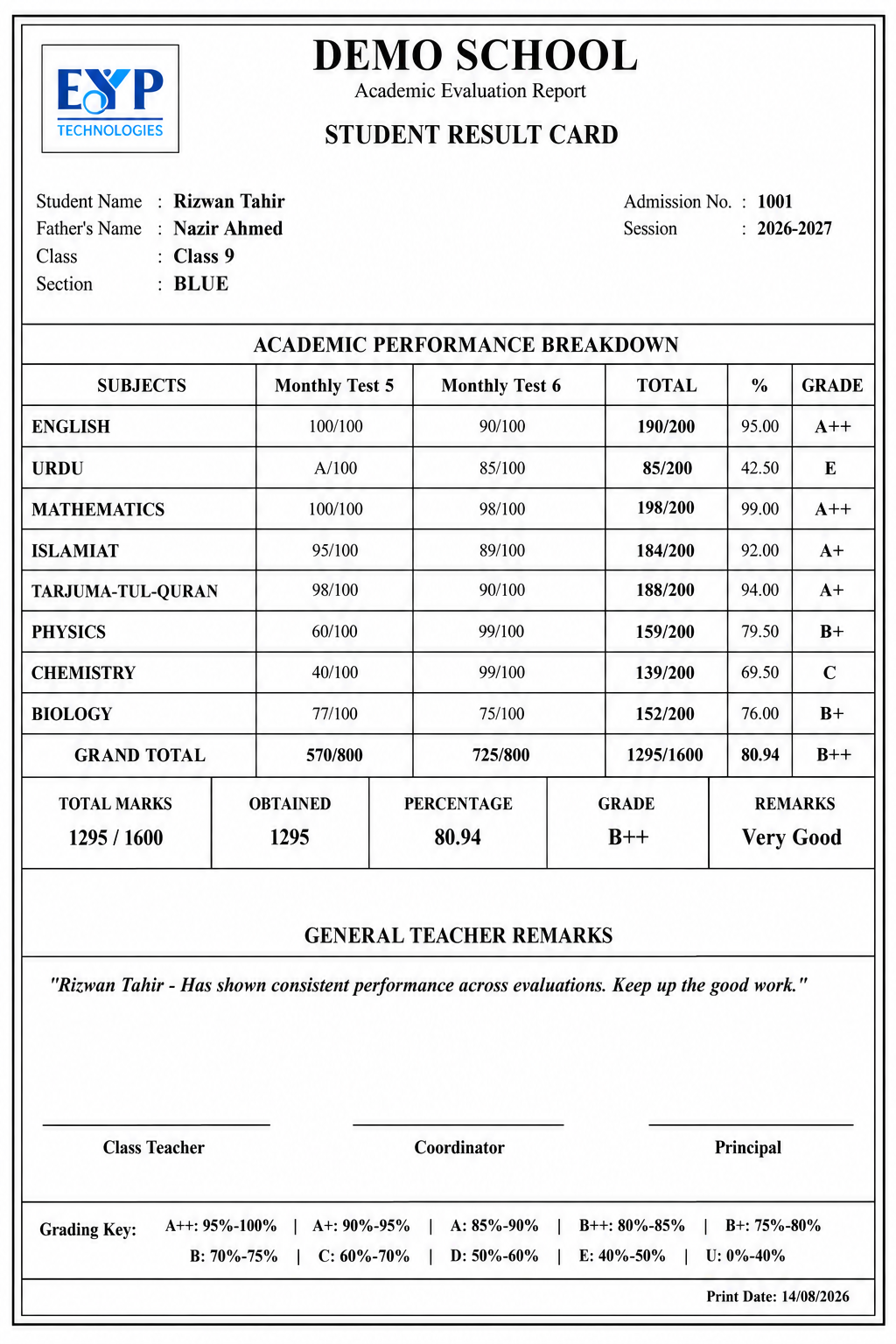
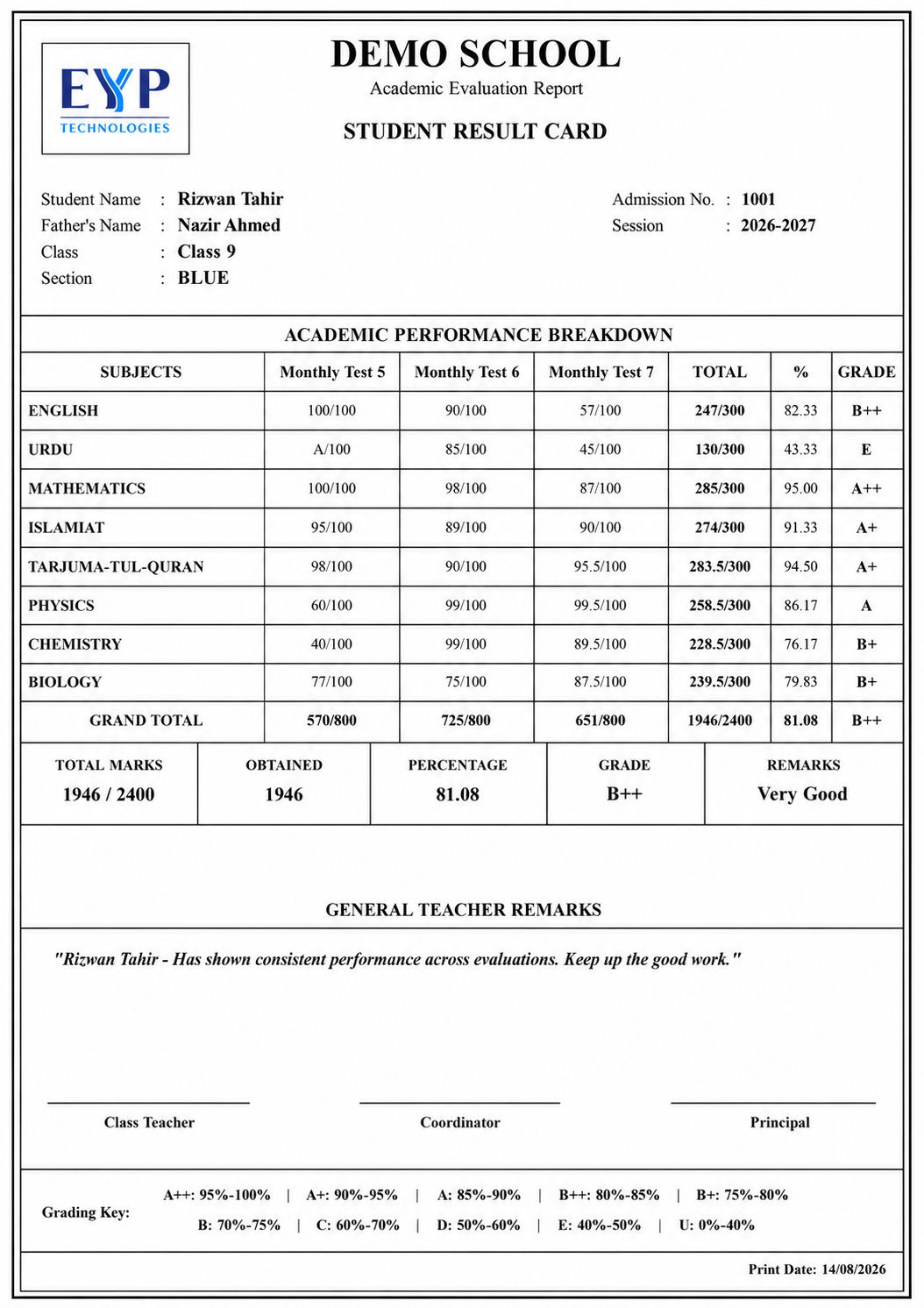
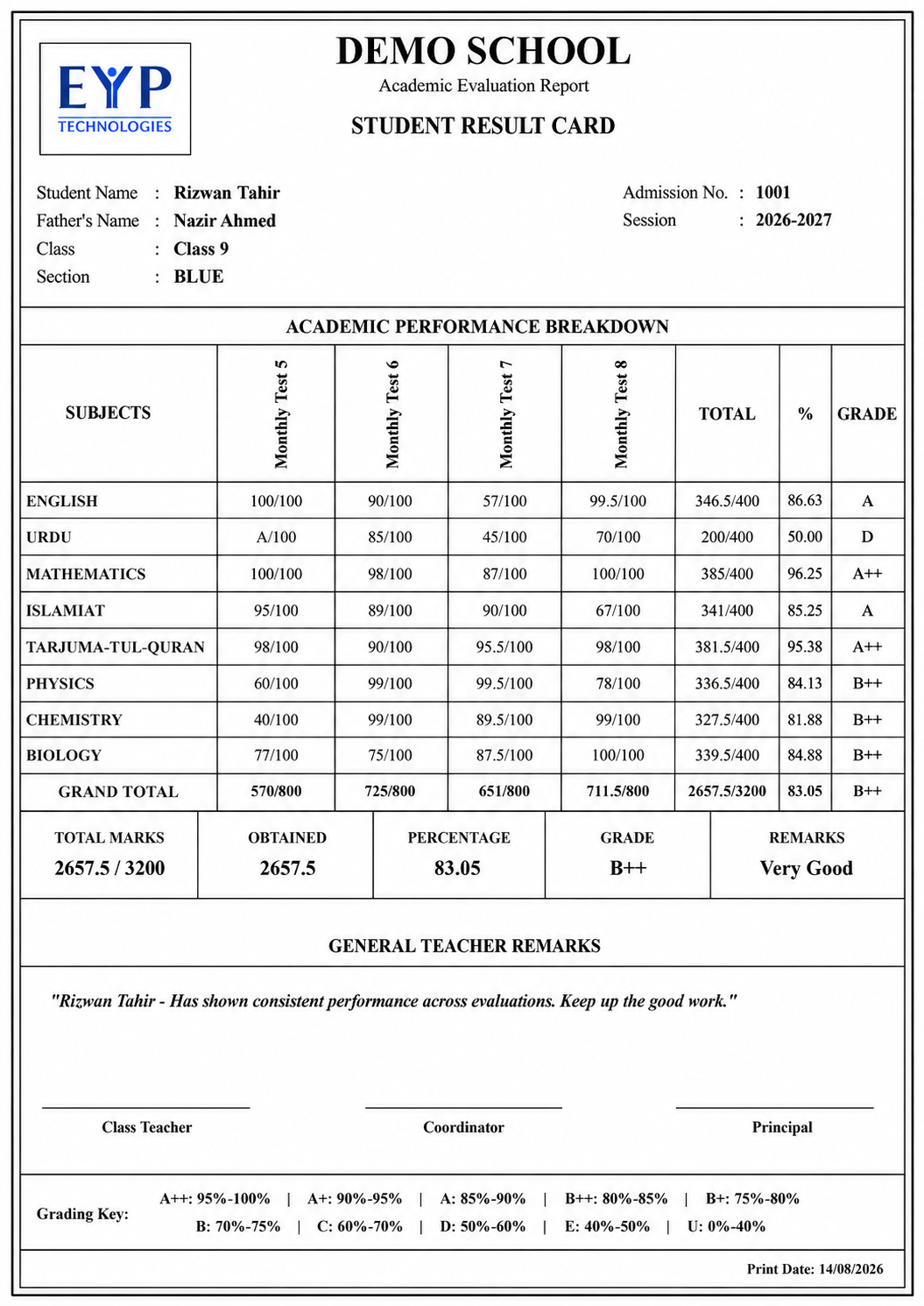
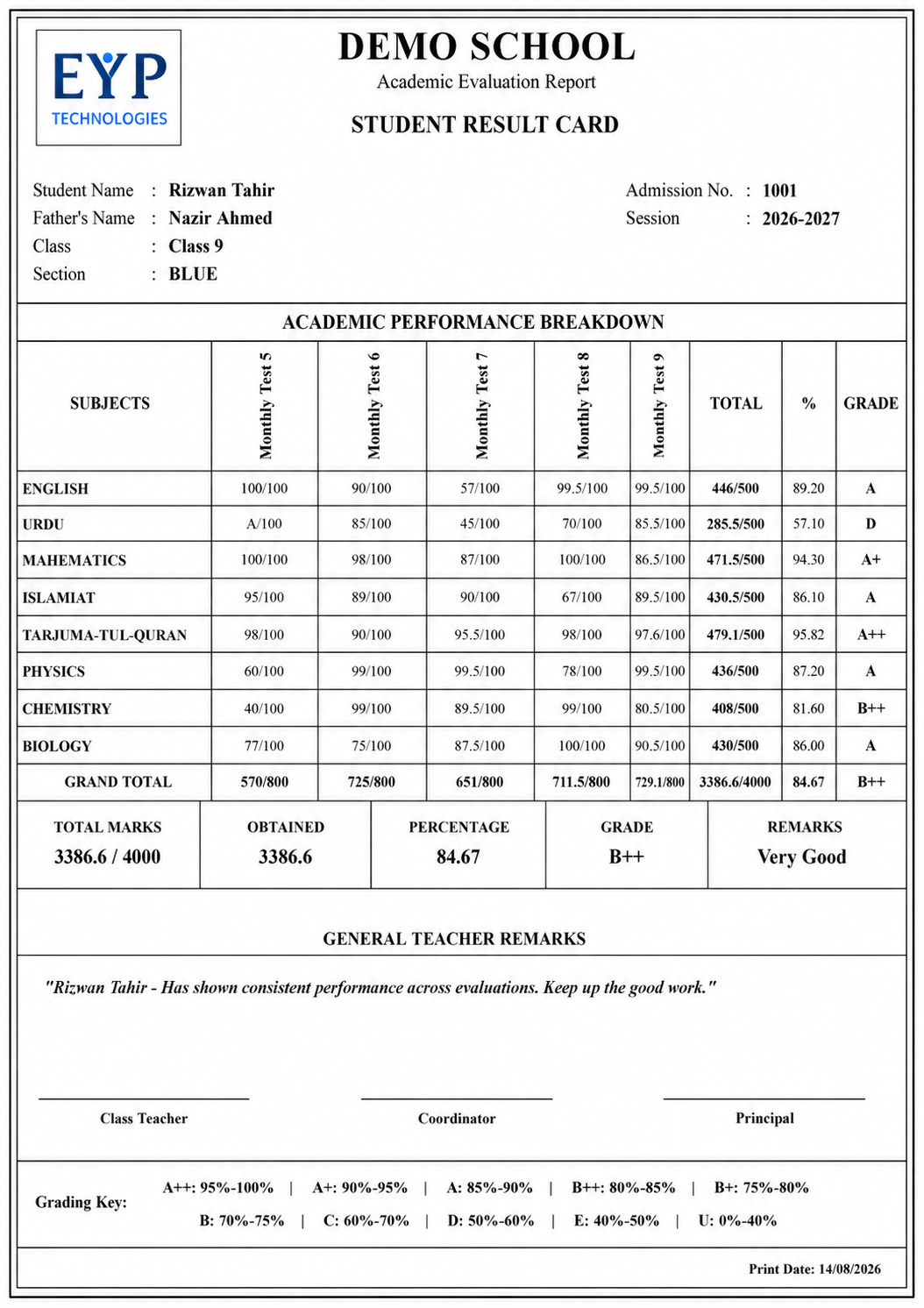
The result card adapts according to the number of selected examinations. Schools can review the available layouts before generating the final PDF.

Automatic Template Preview

Images placed in exam/result-template-previews/ with names such as template-1.png through template-8.png are loaded automatically below.

1-Test Result Card Preview
1 TEST

1-Test Result Card

Preview of the result-card layout when 1 test is selected.

2-Test Result Card Preview
2 TESTS

2-Test Result Card

Preview of the result-card layout when 2 tests are selected.

3-Test Result Card Preview
3 TESTS

3-Test Result Card

Preview of the result-card layout when 3 tests are selected.

4-Test Result Card Preview
4 TESTS

4-Test Result Card

Preview of the result-card layout when 4 tests are selected.

5-Test Result Card Preview
5 TESTS

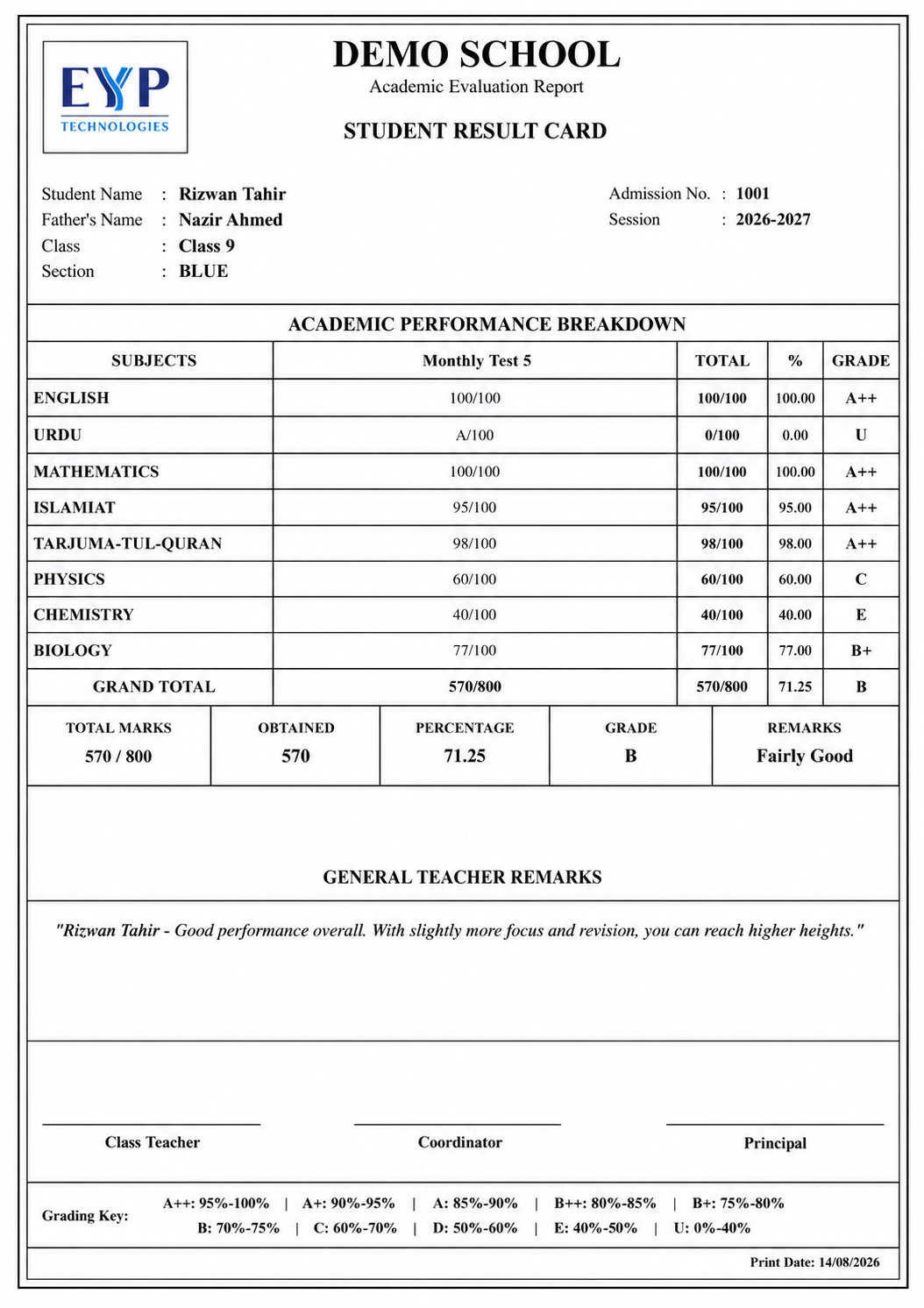
5-Test Result Card

Preview of the result-card layout when 5 tests are selected.

6-Test Result Card Preview
6 TESTS

6-Test Result Card

Preview of the result-card layout when 6 tests are selected.

7-Test Result Card Preview
7 TESTS

7-Test Result Card

Preview of the result-card layout when 7 tests are selected.

8-Test Result Card Preview
8 TESTS

8-Test Result Card

Preview of the result-card layout when 8 tests are selected.

COMPLETE EXAMINATION TOOLS

Everything Schools Need to Manage Examinations & Results

Automatic Calculations

Totals, percentages, grades and remarks are calculated automatically.

Professional Result Cards

Generate school-branded PDF result cards and academic reports.

Cumulative Results

Combine selected tests into complete student progress summaries.

Subject Management

Create subjects, maximum marks and optional-subject structures.

Student Records

Manage students, classes, sections and academic-session enrollment.

Merit & Positions

Calculate comparative performance and positions where required.

Secure Cloud Access

Use the examination portal securely from authorized devices.

Dedicated Support

Receive assistance for setup, marks entry and result generation.

SCHOOL REGISTRATION

Create Your EYP Examination Portal Account

Register your school to start managing academic sessions, classes, students, examinations, subject-wise marks and professional result cards through the EYP Examination Portal.

Flexible Examination Setup Create classes, sections, subjects and tests according to your school.
School Login Account Your school code and secure login are created through the portal.
Professional Results Generate result cards, cumulative sheets and academic reports.

Register Your School

Complete the form below to create your examination portal account.

EYP registrations are marked with the EYP registration source. The registration processor must use the EYP prefix when generating the school username/code.